How to Price Menu Items for Maximum Restaurant Profitability

The usual advice about how to price menu items starts with a number. That is the least useful place to begin when a restaurant already has a working menu.
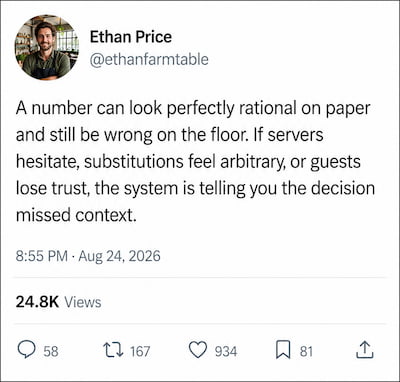
A price lives inside a service system. It affects what guests expect, what servers have to explain, which substitutions feel fair, and how confidently a manager can respond when a supplier, season, branch, or service format changes. A number can look sensible in a spreadsheet and still create a bad decision if nobody knows why it changed, who approved it, or what result should be reviewed afterward.
The pressure to make those decisions carefully is real. The National Restaurant Association estimates that average restaurant expenses rose 36% between 2019 and 2026, while a typical restaurant's pre-tax profit margin is roughly 5%. Those are industry-wide U.S. benchmarks, not targets for an individual venue, but they explain why an undocumented menu change deserves more care than a quick edit before service. Source: National Restaurant Association
This article takes a different route. It treats menu pricing as a controlled operating practice. The aim is to give every live price a clear job, make changes without creating confusion on the floor, and learn from each decision before the next one is made.
Update prices without reprinting
Signal Menu gives restaurant teams one live place to publish approved menu prices and keep every table on the current version.
Start Your Free TrialGive each menu item a price brief
Before changing a number, write a short price brief for the item. This is not a financial model. It is a decision record that lets the team explain the number in plain language months later.
Keep the brief to one screen. It should answer five questions:
| Question | What the team records |
|---|---|
| What job does this item do? | A reason a guest chooses it, such as an easy first order, a shareable table addition, or a signature finish to the meal. |
| When does it sell? | The service periods, days, or occasions where it matters most. |
| What must remain true after a change? | A guest-facing promise, such as a simple lunch choice, a generous sharing option, or a premium special-occasion experience. |
| What would make the change unsuccessful? | A practical failure signal the team can observe, such as repeated questions, more substitutions, or an item that becomes hard for staff to recommend. |
| Who owns the next review? | One named person and a calendar date. |
Take a café's iced coffee as an example. Its price brief may say that it is a fast, familiar order during the morning rush and that the guest should not need an explanation before ordering. That brief rules out a change that complicates sizes, creates several nearly identical choices, or leaves the barista having to defend the price at the counter. The final amount comes later. First, the team has made the item’s role explicit.
This small discipline prevents a common operational problem: a menu becomes a collection of unrelated numbers. When every number has an assigned job, managers can tell the difference between a necessary adjustment and a change that makes the menu harder to use.
Price the whole decision, not the dish in isolation
Guests do not encounter a price as an abstract figure. They encounter it while deciding between courses, coordinating with other people at the table, choosing a drink, or trying to order quickly before a meeting. The same item can need a different price decision in a weekday lunch menu, a tasting menu, a bar snack list, or a resort pool menu because the decision around it is different.
For each item, map the moment in which the guest decides. A useful working sheet has four columns:
| Decision moment | Question to ask | Example of a useful response |
|---|---|---|
| Before ordering | What information does the guest need before they can commit? | Make the portion or included accompaniment clear in the item description. |
| During the order | What might a server need to clarify? | Remove ambiguous add-on rules before changing the displayed price. |
| At payment | What could make the final bill feel different from the menu? | Check that set-menu, modifier, and service-charge information agree across the guest journey. |
| On the next visit | What would make a regular guest notice the change? | Keep a short explanation ready for staff when a familiar item changes. |
This is how to price menu items without making prices feel arbitrary. A price works best when the surrounding choice is easy to understand. If a guest must ask what is included, whether a modification changes the total, or why two versions of the same dish differ, the operational design needs work before the number does.
For a broader review of how item roles fit into a menu, read our restaurant menu engineering guide. That guide covers performance analysis. The process here starts after a team decides an item needs a pricing decision and needs to carry it out cleanly.
Build a change threshold before pressure arrives
Restaurants often change prices at the worst possible time: after an urgent conversation, while the team is preparing for service, or after one worrying supplier invoice. A better system decides in advance what deserves a price review and what should be handled another way.
Create a change threshold for each menu category. The threshold should be an event, not a vague feeling. Examples include:
- A permanent recipe substitution changes the guest experience.
- A portion specification changes after a test kitchen decision.
- A branch begins serving the item in a different format.
- A recurring guest question exposes unclear menu language.
- A limited-time item becomes part of the regular menu.
The point is not to automate every response. It is to separate a review from a reaction. A chef may decide that a short-term disruption needs a temporary availability note, not a price change. A manager may discover that the problem is an out-of-date modifier in the ordering system. A price change should be the outcome of a deliberate decision, not the default response to any pressure.
Record the trigger alongside the price brief. When the team revisits the item, it can see whether the trigger was real, temporary, or poorly diagnosed. Over time, this turns pricing meetings into a record of decisions rather than a debate built on memory.
Use a two-person release rule
One person should be able to propose a price change. One person should be able to publish it. Those do not need to be different people every day, but they should be distinct roles in the process.
The proposer states the item, the intended guest outcome, the trigger, the proposed effective date, and any related changes to descriptions or modifiers. The publisher checks the guest-facing menu before the change goes live. That check is especially important when an item appears in more than one place: a lunch menu, a table QR menu, a bar list, a hotel room-service page, or a promotional card.
The release check has a simple purpose: a guest should never see two valid-looking prices for the same choice. That can happen when the main menu changes but a section page, a featured tile, or a separate branch menu does not. It also happens when a staff-facing ordering setup changes before the guest-facing menu has been reviewed.
There is evidence for formalizing this check. In a 2024 Forrester study commissioned by Mastercard, 70% of 319 restaurant menu and category leaders said menu optimization was fundamental to organizational goals, yet only 27% said they used very rigorous financial and analytical reviews to decide menu changes. A lightweight release rule closes part of that gap without turning every update into a long committee meeting. Source: Mastercard and Forrester
Digital menus make this workflow much easier because the publisher can review the live destination before service instead of waiting for a new print run. A restaurant still needs the release rule. Technology reduces the publishing friction, but it does not decide whether the change is coherent.
Make changes at a time your team can observe
Avoid publishing a change just before the busiest period and hoping for the best. A menu price is an instruction to guests and staff. It deserves an observation window.
Choose an effective time when a manager can watch the first several orders and speak with the people taking them. For a brunch item, that may mean publishing before a quieter weekday breakfast rather than Saturday morning. For a dinner special, it may mean using an early service where the floor manager can hear questions without being pulled in five directions.
During the observation window, collect only direct evidence. Ask servers to note repeated questions in the same words guests use. Watch for an unusual number of modifications, requests to split an item, or a change in the way tables combine dishes. Check whether the description and modifier choices still match the price that appears on the screen.
Do not ask staff for a general impression at the end of a busy shift. It is too easy for a dramatic table to dominate the conversation. Use a small record instead:
| Observation | What to write down |
|---|---|
| Guest question | The exact question, without interpretation. |
| Staff response | What the server or barista said. |
| Menu friction | The screen, description, modifier, or policy that caused the pause. |
| Follow-up | Leave as is, clarify the menu, or return the item to review. |
This turns a price change into a short field test. The goal is not to chase a perfect answer. It is to catch avoidable confusion while the team can still correct it.
Protect regulars with consistency, not secrecy
Regular guests notice familiar orders. They often remember a menu better than the people who update it. Hiding a price change or telling staff to avoid the subject creates more tension than a calm, consistent explanation.
Price changes are still a normal part of restaurant operations. In the United States, full-service menu prices were 3.4% higher year over year in July 2026, and limited-service prices were 3.3% higher, according to the National Restaurant Association. The figures do not tell an individual restaurant what to change; they reinforce the value of giving staff a consistent, honest answer when regulars ask. Source: National Restaurant Association
Write one sentence that staff can use when someone asks. It should describe the current menu clearly and avoid inventing a story. For example: "We updated this item with the new summer menu, and the current version includes the house-made citrus dressing." If the item itself has not changed, the sentence should not pretend that it has. Staff can simply acknowledge the update and direct the guest to the current menu.
The point is consistency. A guest should hear the same answer from the host, a server, and a manager. That requires the price brief and release note to be available to the people who face guests, not locked in a back-office file.
There is a limit here. Restaurants should not turn every small menu adjustment into an announcement. A clear answer is different from a sales pitch. Use it when a guest asks or when a change affects an item that regulars order often.
Keep branches and service formats from drifting apart
Multi-location restaurants face a different problem. A centrally approved price can be correct for the brand and still be wrong for one branch's service format. A location inside a hotel may include an item in room service. A food-hall counter may use a smaller package. A beachfront branch may offer a seasonal version with different availability.
The right response is not to let every branch improvise. Give each shared item a core record, then list permitted local variations underneath it. For each variation, document the reason, the branch or format it applies to, the owner, and its end date if it is temporary.
This structure gives the central team visibility while allowing the menu to match the actual service experience. It also makes end-of-season cleanup less error-prone. Temporary entries should have an expiry date and a named person who decides whether to renew, replace, or remove them.
Signal Menu helps teams publish these approved updates across locations from one live menu system, rather than asking every branch to manage a separate file or printed version.
Keep every menu price current
Signal Menu lets your team publish approved updates across digital menus without waiting for paper menus to be redesigned or reprinted.
Build Your Free MenuReview the decision after the menu has settled
A price review should happen after the first rush of attention has passed. Do not judge a change from a single service, a single complaint, or a single enthusiastic comment. Give the item enough ordinary service time to reveal whether the guest journey still makes sense.
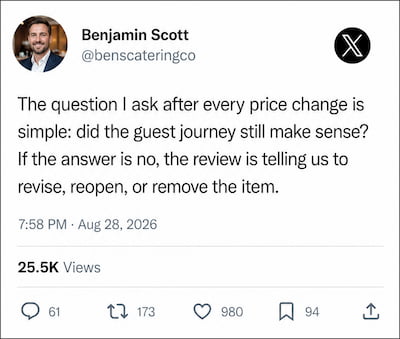
Return to the original price brief. Did the item still do the job it was meant to do? Did the failure signal appear? Did staff need a new explanation? Did a related part of the menu become confusing? Those questions create a useful result even when the number stays in place.
Close every review with one of four outcomes:
- Keep the price and close the record.
- Keep the price but revise the menu language or modifier setup.
- Reopen the decision because the guest experience changed in an unexpected way.
- Remove the item or service format from the menu until the team can define it clearly.
That final outcome matters. Some pricing problems are really product-definition problems. If a team cannot describe what a guest receives, when it is available, and how it should be ordered, changing the amount displayed beside it will not fix the underlying issue.
A pricing calendar that survives busy service
The simplest durable system is a recurring calendar with a short monthly review and a separate approval point for changes. The monthly review checks open price briefs, temporary branch variations, unresolved guest questions, and items whose scheduled review dates have arrived. The approval point handles only changes that are ready to publish.
Keep the calendar small enough that it happens. A thirty-minute meeting with a prepared list is more useful than a quarterly session where the team tries to reconstruct every change from memory. Each meeting should end with named owners and dates, not a generic instruction to "keep an eye on it."
The result is a menu that stays current without feeling unstable. Guests see clear choices. Staff know what to say. Managers can trace a decision back to its trigger and decide whether the result earned a permanent place on the menu.
For the technical foundation behind a menu your team can update during service, see our restaurant QR code menu guide. A live digital menu gives the team a practical way to put this price governance process into effect.

Elena Rostova
Restaurant Operations & Menu Design Strategist
Elena specializes in restaurant workflow optimization, menu engineering, and visual branding for modern dining establishments.


